Categoría: Python & Data

Pipelines, automatización y análisis de datos

  • Experimento de usuario: MCP Screaming Frog + API Python en Claude Code

    Experimento de usuario: MCP Screaming Frog + API Python en Claude Code

    Publicado en nicolasbillia.com — Mayo 2026
    Read this post in English →

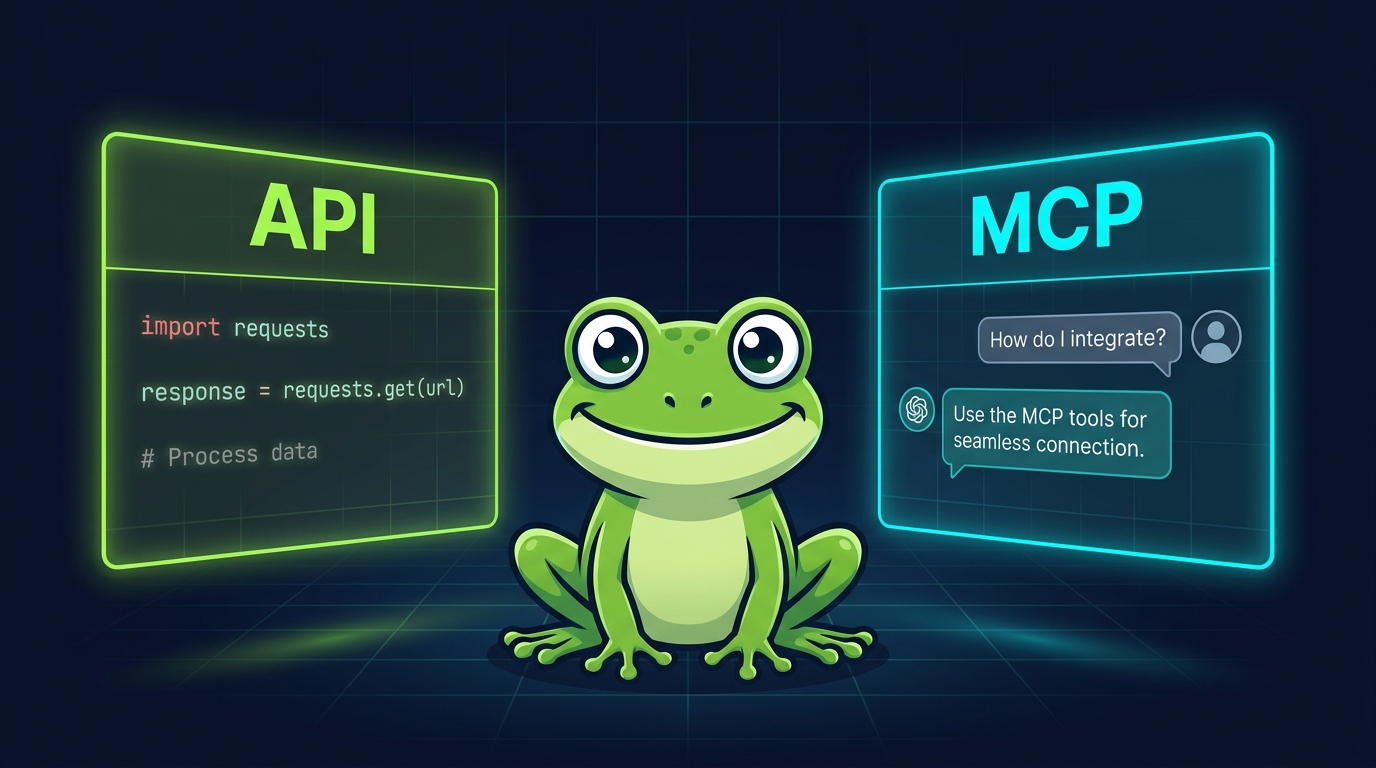
    Rana de Screaming Frog entre dos paneles luminosos: API (con código Python a la izquierda) y MCP (interfaz tipo chat a la derecha), fondo navy con grilla

    Disclaimer

    Este contenido fue generado con ayuda de IA a partir de la ingesta de contexto: media docena de proyectos trabajados en Claude Code usando la API de Antonio Maculus (link en el segundo párrafo) + registro de logs de la sesión de iteración con el MCP. Todo el desglose técnico sale de los logs que me devolvió Claude Code; las ideas de análisis tienen una base propia + brainstorming en el momento de armar el post.

    Hoy se anunció el MCP oficial de Screaming Frog. Lo conecté a Claude Code apenas salió y armé un smoke test sobre nicolasbillia.com (40 URLs) para medir, endpoint por endpoint, qué hace bien y cuánto “pesa” el output cuando viaja al contexto del LLM.

    En paralelo, la librería Python de Antonio Atilio Maculus (repo en GitHub) la venimos usando desde principios de año en media docena de auditorías reales — e-commerce, retail premium, edu, moda, medios. Eso es la base de comparación: el MCP recién salido contra una herramienta probada en producción.

    La pregunta natural es “cuál es mejor”, pero después de correr ambas en paralelo la respuesta es otra: no son lo mismo, no compiten, y combinándolas se desbloquean flujos que con cualquiera sola no salen.

    Este post es una prueba de usuario, no autoridad técnica. Antonio sabe diez veces más de su librería que yo, y del MCP oficial recién llevo unas horas. Lo que aporto es la mirada del SEO que las usa para auditar sitios reales: la metodología del experimento de hoy, catálogo de capacidades con números absolutos, scoring por categoría de análisis, 20 ideas de uso combinado, setup paso a paso, queries SQL listas, y cómo cruzar el crawl con GSC y GA4.

    0. Cómo medí — metodología del smoke test

    Quería un sitio chico para no quemar crédito ni tiempo, y conocido para validar los resultados. Elegí nicolasbillia.com (mi sitio personal, ~40 URLs HTML, WordPress block theme, hreflang ES/EN).

    Setup del experimento:

    1. Screaming Frog con MCP server activado en http://localhost:11435/mcp.
    2. Claude Code conectado al MCP vía claude mcp add seospider --transport http http://localhost:11435/mcp.
    3. API Python de Antonio cargando el mismo crawl con Crawl.load(crawl_id, db_id_backend="derby", csv_fallback=False).

    Endpoints MCP medidos (6 calls representativas): sf_crawl, sf_crawl_progress, sf_generate_report (Redirects:All), sf_export_seo_element_urls (Canonicals:Missing), sf_bulk_export_page_content (visible_text), sf_export_embeddings.

    Qué medí en cada llamada:

    • Tamaño del archivo en disco (KB) — output completo guardado a archivo.
    • Tamaño del output que vuelve al contexto LLM (chars / KB) — lo que Claude efectivamente “ve” después de la tool call.
    • Tokens estimados consumidos en el contexto (chars / 4, criterio conservador).
    • Errores y dependencias: si el endpoint falla, qué config previa exige (PageSpeed API key, hreflang crawl flag, Database storage, etc.).

    Lo que el smoke test NO mide:

    • No es un benchmark formal — N=1 sitio, 40 URLs, una sola corrida.
    • Los tokens NO escalan linealmente: cuando hay file_path, el sample devuelto es ~1 URL y no crece con el sitio. Sin file_path, sí escala con el sitio entero.
    • No medí latencia del crawl en sí (SF tarda igual con o sin MCP). Lo que medí es el costo en contexto LLM y la “ergonomía” del endpoint.

    De dónde sale la conclusión “uno escala a 100K+ URLs y el otro no”

    Aclaración importante: no probé el MCP sobre un sitio de 100K URLs todavía. El MCP lleva pocos días desde su lanzamiento — no hubo tiempo material de correrlo en una auditoría real de ese tamaño, y el smoke test de hoy fue justamente sobre un sitio chico para mapear la mecánica básica de cada endpoint. La librería de Antonio Maculus, en cambio, sí venía con contexto de uso previo: la corrimos en auditorías reales de decenas de miles de URLs durante los últimos meses. La conclusión sobre escalabilidad es, entonces, inferencia desde la arquitectura de cada solución, validada parcialmente con esos casos reales en la librería de Antonio y no validada todavía con el MCP en sitios grandes.

    Por qué la librería de Antonio escala mejor en volumen (razonamiento arquitectónico):

    • Lee directo de Apache Derby, la base de datos interna de SF. No hay parseo intermedio de NDJSON ni CSV.
    • Las queries usan SQL nativo: planner, índices, JOINs eficientes. La complejidad del query no infla el output que viaja al LLM — solo viaja el resultado del SELECT, no el dataset completo.
    • Tablas pre-computadas como APP.INLINK_COUNTS evitan agregar sitewide en runtime.
    • Lazy evaluation + pandas: el resultado se materializa solo cuando lo pedís.
    • Validación parcial en producción: corrimos auditorías sobre sitios de decenas de miles de URLs sin que la librería se rompa, aplicando los workarounds documentados (Derby forzado, APP.INLINK_COUNTS en vez de links("in").collect()).

    Por qué el MCP oficial tiene un techo más bajo en volumen (razonamiento arquitectónico + dato del smoke test):

    • Los outputs viajan como NDJSON o CSV. No hay SQL ni indexación: es un stream de filas.
    • Si pasás file_path, el archivo se guarda a disco y al LLM le vuelve un sample chico (esto lo medimos hoy). Si NO pasás file_path, el archivo entero viaja al contexto.
    • En el smoke test sobre 40 URLs, sf_export_embeddings generó 539 KB. Extrapolación lineal a 100K URLs: del orden de 1,3 GB. El archivo se genera, pero el LLM no puede leerlo directo: hay que parsearlo afuera con un script.
    • El MCP no resuelve cross-table queries (no hay SQL). Para cruzar dos bulk exports en un sitio grande, terminás escribiendo Python igual.

    Conclusión honesta: el techo del MCP en volumen es el context window del LLM, no SF. SF crawlea millones de URLs sin problema; el MCP hace de puente, y ese puente tiene ancho de banda limitado. La API de Antonio salta el puente y va directo al fondo de la pileta (la DB Derby), por eso aguanta mejor.

    1. Catálogo de capacidades — qué saca cada uno

    1.1 MCP oficial de Screaming Frog

    • 61 reports nativos en 13 grupos:
      • Crawl Overview / Issues / Segments (3)
      • Redirects (4): All, Chains, Redirect & Canonical Chains, Redirects to Error
      • Canonicals (2): Chains, Non-Indexable
      • Pagination (2): Non-200, Unlinked
      • Hreflang (7): All, Non-200, Unlinked, Missing Return, Inconsistent Language, Non-Canonical Return, Noindex Return
      • Insecure Content / SERP Summary / Orphan Pages (3)
      • Structured Data (5): Validation Errors Summary, Validation Errors, Parse Errors, Rich Results Summary, Rich Results
      • JavaScript Console Log Summary (1)
      • PageSpeed (28): Opportunities Summary, CSS/JS Coverage, Minify, Reduce Unused, Render Blocking, LCP, CLS, Fonts, DOM Size, etc.
      • Mobile (4): Viewport, Target Size, Content Sized, Illegible Font
      • Accessibility Violations Summary (1)
      • Cookies Summary (1)
    • 130+ bulk exports en 16 grupos: Queued, Links (12), Web Headers / Cookies (3), Path Type (4), Security (6), Response Codes (31), Content (6), Images (8), Canonicals (12), Directives (17), JavaScript (3), AMP (7), Structured Data (6), Sitemaps (4), Custom Search / Extraction (5), URL Inspection (3), Accessibility (12).
    • 5 utilidades extra: screenshots de URL, embeddings export (vectores), bulk page content (raw HTML o visible text), Node.js runner para post-procesos custom, browser opener.

    Lo que no pude usar como usuario (limitaciones que detecté):

    • PageSpeed reports — requieren tener PageSpeed Insights API key configurada en SF antes del crawl. Sin esa key, los 28 reports vuelven vacíos.
    • Accessibility WCAG — requiere activar el módulo Axe en SF Config > Spider > Crawl > Accessibility antes del crawl.
    • URL Inspection (Rich Results, Referring Pages, Sitemaps) — requiere conexión a GSC vía OAuth dentro de SF.
    • Custom Search / Custom Extraction — dependen de patrones (XPath, regex) definidos en SF antes del crawl.
    • Change Detection — requiere 2 crawls del mismo sitio comparables.
    • Hreflang reports — el sitio crawleado debe haberse crawleado con “Crawl Hreflang” activado (mi caso del benchmark estaba apagado).

    1.2 API Python de Antonio Maculus

    • 159 filtros GUI distribuidos en 12 módulos de SEO element:
      • response_codes (32 filtros)
      • directives (18)
      • hreflang (15)
      • canonicals (12)
      • headings H1/H2 (12)
      • internal content-types (12)
      • structured_data (12)
      • pagination (11)
      • page_titles (10)
      • meta_description (9)
      • images (8)
      • meta_keywords (4)
    • 9 reports de auditoría pre-armados: broken_links_report, broken_inlinks_report, nofollow_inlinks_report, title_meta_audit, indexability_audit, orphan_pages_report, security_issues_report, canonical_issues_report, hreflang_issues_report.
    • ~25 tablas Derby APP.* accesibles por SQL directo (ver glosario en sección 8).
    • 6 backends: Derby (fast, requiere Java), DuckDB (cache analítico), CSV (sin deps externas), SQLite, CLI, Hybrid (Derby + CSV fallback).
    • Outputs: pandas / polars / dicts / iteradores lazy / método .to_sql() para inspeccionar la query generada.
    • Cobertura: 601/628 tabs mapeados (95,7%), 15.490/15.589 campos (99,4%).

    Lo que no pude usar o se cuelga:

    • crawl.summary() se cuelga en crawls grandes (100K+ URLs). Workaround: SQL directo sobre tablas APP.*
    • canonical_issues_report() e indexability_audit() con backend default. Forzar db_id_backend="derby" + csv_fallback=False.
    • links("in").collect() sitewide en sitios grandes. Usar APP.INLINK_COUNTS pre-computado.
    • Filtros documentados como TODO en el código fuente: pixel-width titles/metas, “Is Relative” canonicals, “Incorrect Language Codes” hreflang, “Background Images”, varios Pagination y Structured Data sub-filtros.

    2. Scoring 1-3 por categoría de análisis (semáforo)

    Escala: 3 super útil — 2 sirve con caveats — 1 no recomendado.

    Criterio por columna y origen de cada score:

    • Velocidad: tiempo desde la query hasta tener el dato listo para analizar (de la llamada a pandas o al archivo). Score basado en el smoke test (MCP) + auditorías reales acumuladas (API).
    • Facilidad: curva de aprendizaje y fricción típica de cada endpoint. Score basado en el smoke test (MCP) + experiencia de uso en producción (API).
    • Volumen: capacidad inferida de procesar 100K+ URLs sin romper. Este score es inferencia arquitectónica (ver subsección anterior sobre infraestructura), validado parcialmente con la API en auditorías reales de decenas de miles de URLs, pero no probado todavía con el MCP en sitios de ese tamaño.

    Importante: lo que sigue es una matriz de inferencias razonadas, no conclusiones cerradas. Cada celda la vamos a ir validando en sitios reales y este post se va a actualizar a medida que tengamos data dura. Si tenés un caso de uso o un sitio donde una celda no se sostiene, escribime y lo incorporo.

    Categoría de análisis MCP Vel MCP Fac MCP Vol API Vel API Fac API Vol
    Response codes
    Redirects (chains, loops)
    Canonicals
    Hreflang
    Directivas robots
    Page titles / Meta description
    Headings H1/H2
    Inlinks / Outlinks (granular)
    Content duplicates (exact / near / similar)
    Imágenes (alt, peso, dimensiones)
    Structured data / Rich Results
    PageSpeed / Core Web Vitals
    Mobile usability
    Accessibility (WCAG)
    Screenshots / Embeddings / Node.js

    Lectura rápida: para inlinks granulares y queries cross-tabla, API gana. Para PageSpeed, accessibility, screenshots y embeddings, el MCP es exclusivo o claramente mejor. Para el grueso de análisis SEO estándar (canonicals, hreflang, directivas, titles), ambas funcionan bien — la elección depende más del workflow que de la herramienta.

    3. Decision tree — qué herramienta uso

    ¿Querés lanzar el crawl desde el LLM?
    ├── Sí ────────────────────────────→ MCP (la API solo lee)
    └── No (crawl ya existe)
        │
        └── ¿Qué tipo de análisis?
            │
            ├── PageSpeed / WCAG / Screenshots / Embeddings → MCP exclusivo
            │
            ├── Cross-tabla (canonical × hreflang × inlinks) → API (SQL directo)
            │
            ├── Volumen alto (1M+ inlinks / 100K+ URLs)
            │   ├── Solo extracción → API (pandas, sin parsear NDJSON)
            │   └── Reports nativos formato cliente → MCP con file_path
            │
            ├── Pipeline reutilizable (varios clientes)
            │   └── API (pandas + SQL más limpios de mantener)
            │
            └── Reports SF de catálogo
                ├── Para entregable cliente → MCP (formato CSV nativo)
                └── Para análisis intermedio → cualquiera

    4. Setup paso a paso

    4.1 Claude Desktop

    Referencia oficial: Screaming Frog SEO Spider — Configuration / MCP Server. Al momento de escritura, la sección pública específica del MCP server todavía no estaba detallada en esa URL — el setup que documentamos abajo es el que funcionó en nuestra instalación.

    1. Abrir SF y activar el MCP server desde Configuration > API Access > MCP Server (la opción aparece en versiones recientes).
    2. Confirmar que el servidor está escuchando en http://localhost:11435/mcp (puerto default).
    3. Editar ~/Library/Application Support/Claude/claude_desktop_config.json y agregar:
    {
      "mcpServers": {
        "seospider": {
          "type": "http",
          "url": "http://localhost:11435/mcp"
        }
      }
    }
    1. Restart Claude Desktop (cerrar y abrir).
    2. En el chat, escribí “list available tools” — deberían aparecer los sf_*.

    4.2 Claude Code (el flujo que usamos)

    SF tiene que estar abierto y con el MCP server activado (mismos pasos 1 y 2 de arriba).

    # Agregar el server al config de Claude Code:
    claude mcp add seospider --transport http http://localhost:11435/mcp
    
    # Verificar que quedó registrado:
    claude mcp list

    Alternativa equivalente — editar manualmente ~/.claude.json:

    {
      "mcpServers": {
        "seospider": {
          "type": "http",
          "url": "http://localhost:11435/mcp"
        }
      }
    }

    Una vez registrado, las herramientas aparecen como mcp__seospider__sf_* dentro de Claude Code. Un crawl básico:

    sf_crawl(crawl_url="https://example.com", crawl_name="Auditoría inicial")
    sf_crawl_progress()
    sf_generate_report(
      category="Hreflang:Missing Return Links",
      export_type="CSV",
      file_path="hreflang.csv"
    )

    Atajo lúdico pero real: si esto te parece denso, copiá la URL de este post y pasásela a Claude Code con /url <link>, después pedile “implementame el setup del MCP de Screaming Frog según las instrucciones del post”. Es legítimo. Es exactamente el caso de uso para el que se diseñó MCP.

    5. 20 ideas de uso combinado MCP + API

    # Idea Combinación Output
    1 Auditoría técnica integral one-shot MCP lanza crawl + API genera DataFrame con issues priorizados CSV ordenado por impacto + crawl_id reutilizable
    2 Canibalización semántica con valor comercial MCP exporta embeddings + API cruza con GA4 conversiones Lista de URLs a redirigir/mergear con justificación revenue
    3 Diagnóstico hreflang post-deploy MCP lanza crawl + API SQL sobre MULTIMAP_HREF_LANG_* Tabla de fixes específicos por variante regional
    4 Orphan pages con tráfico API extrae orphans + MCP descarga screenshots Lista visual + recomendación de internal linking
    5 Audit canonicals cross-path post-migración API SQL custom + MCP confirma con bulk export Lista validada de redirects 301 a implementar
    6 Detección cloaking por User-Agent MCP script Node.js (curl + UA spoof) + API compara HTML hash Reporte de URLs con respuesta divergente browser vs Googlebot
    7 Auditoría WCAG agrupada por template MCP genera Accessibility:All Violations + API agrupa por path Lista priorizada por template, no por URL
    8 Zombie pages con impressions GSC MCP exporta Directives:Noindex Inlinks + API cruza con GSC URLs noindex que aún reciben tráfico, candidatas a remoción real
    9 Internal linking gaps en clusters semánticos MCP embeddings + API APP.INLINK_COUNTS + cosine similarity Pares de URLs altamente similares sin enlace mutuo
    10 Structured data errors por template MCP Structured Data:Validation Errors + API agrupa por URL pattern Errores comunes al template, no a la URL individual
    11 Chains de redirects internos MCP bulk Response Codes:3xx Inlinks + API SQL traversal Mapa de chains internos con número de hops
    12 Imágenes sin alt priorizadas por tráfico MCP Images:Missing Alt + API cruza con APP.INLINK_COUNTS y GA4 Lista priorizada de imágenes a corregir según impacto
    13 PageSpeed comparativo template vs template MCP PageSpeed reports + API agrupa por path pattern Templates más lentos identificados, no URLs sueltas
    14 JS rendering issues clasificados MCP JavaScript Console Log + API filtra por severity Lista de páginas con JS roto agrupada por tipo de error
    15 Duplicados near vs exact por sección API SQL sobre APP.NEAR_DUPLICATE / DUPLICATES_TITLE Decisión consolidación con criterio de proximidad
    16 Canonicals contradictorios con hreflang API SQL multi-tabla (URLS + MULTIMAP_HREF_LANG_*) Conflictos en política de consolidación
    17 Rich Results elegibilidad MCP Rich Results Features + API estima impacto SERP URLs elegibles para snippet enriquecido priorizadas
    18 Diff pre/post deploy API CrawlDiff entre 2 crawls + MCP genera reports diff Validación QA post-deploy automatizada
    19 Mapeo cookies por path (GDPR) MCP All Cookies bulk + API agrupa por path Audit GDPR / consent con coverage
    20 Mixed content por sección MCP Security:Mixed Content + API agrupa por path Priorización por crawl depth y tráfico

    6. Workflow combinado clásico (3 pasos)

    1. MCP lanza el crawl: sf_crawl(crawl_url=...) + sf_crawl_progress() hasta 100%.
    2. API lee el resultado con SQL: Crawl.load(crawl_id, db_id_backend="derby").sql(...). Cruces multi-tabla, agregaciones complejas.
    3. MCP exporta los reports finales al entregable cliente con sf_generate_report(category=..., file_path=...).

    El LLM en Claude orquesta los tres pasos en una sola conversación.

    7. Pipeline 3-en-1: SF + GSC + GA4 con código real

    Un crawl solo cuenta la mitad de la historia. La otra mitad la tienen GSC (qué Google ve) y GA4 (qué hace el usuario). Una vez que el dato del crawl está en pandas, cruzarlo con GSC y GA4 es un join SQL.

    import pandas as pd
    from screamingfrog import Crawl
    from search_console_connect import authenticate as gsc_auth, get_client as gsc_client
    from extract_ga4 import get_client as ga4_client, extract_landing_pages
    
    # 1) Crawl SF -> DataFrame de URLs
    crawl = Crawl.load("CRAWL_ID", db_id_backend="derby", csv_fallback=False)
    df_sf = crawl.sql("""
      SELECT u.URL_PATH AS url,
             u.STATUS_CODE,
             u.INDEXABILITY,
             u.CANONICAL_LINK_ELEMENT,
             ic.INLINKS_COUNT
      FROM APP.URLS u
      LEFT JOIN APP.INLINK_COUNTS ic ON ic.URL_ID = u.URL_ID
      WHERE u.CONTENT_TYPE = 'text/html'
    """).to_pandas()
    
    # 2) GSC 90 dias -> clicks / impressions / position por URL
    gsc = gsc_client(gsc_auth())
    df_gsc = (
      pd.DataFrame(gsc.searchanalytics().query(
        siteUrl="sc-domain:ejemplo.com",
        body={"startDate":"2026-02-19","endDate":"2026-05-19","dimensions":["page"]}
      ).execute()["rows"])
      .rename(columns={"keys":"url"})
    )
    df_gsc["url"] = df_gsc["url"].str[0]
    
    # 3) GA4 30 dias -> sessions / conversions por landing
    df_ga4 = extract_landing_pages(ga4_client(), property_id="123456789",
                                    start_date="30daysAgo", end_date="today")
    
    # 4) Merge sobre URL normalizada
    df = (df_sf.merge(df_gsc, on="url", how="left")
                  .merge(df_ga4, on="url", how="left"))
    
    print(df.head())

    Output: una tabla con url | status_code | indexability | canonical | inlinks_count | gsc_clicks_90d | gsc_impressions_90d | ga4_sessions_30d | ga4_conversions_30d. Sobre eso se filtra cualquier caso del top 20 (orphans con tráfico, canibalización con conversiones, zombies con impressions, etc.).

    8. Glosario de tablas Derby APP.* (~25)

    Tabla Qué contiene
    APP.URLS URLs crawleadas con metadata completa (status, indexability, canonical, hreflang flags, content type)
    APP.LINKS Grafo de links raw (SRC_ID, DST_ID, LINK_TYPE). LINK_TYPE=13 = hreflang HTML
    APP.UNIQUE_URLS Mapping URL_ID → URL string normalizada
    APP.INLINK_COUNTS Conteos pre-computados de inlinks por URL (rápido, no requiere agregación)
    APP.DUPLICATES_TITLE URLs con título duplicado entre sí
    APP.DUPLICATES_META_DESCRIPTION URLs con meta description duplicada
    APP.DUPLICATES_H1 URLs con H1 duplicado
    APP.DUPLICATES_H2 URLs con H2 duplicado
    APP.MULTIMAP_CANONICALS_PENDING_LINK Canonicals sin link confirmado en HTML
    APP.MULTIMAP_HREF_LANG_NON_200_LINK Hreflang apuntando a URLs non-200
    APP.MULTIMAP_HREF_LANG_MISSING_CONFIRMATION Hreflang sin return links recíprocos
    APP.MULTIMAP_HREF_LANG_INCONSISTENT_LANGUAGE_CONFIRMATION Return links con código de idioma inconsistente
    APP.MULTIMAP_HREF_LANG_CANONICAL_CONFIRMATION Hreflang sin canonical en el return
    APP.MULTIMAP_HREF_LANG_NO_INDEX_CONFIRMATION Hreflang apuntando a URLs noindex
    APP.MULTIMAP_PAGINATION_PENDING_LINK Pagination sin link en anchor
    APP.MULTIMAP_PAGINATION_SEQUENCE_ERROR Errores de secuencia rel=prev/next
    APP.MISSING_ALT_TEXT_TRACKER Imágenes sin alt text
    APP.MISSING_ALT_ATTRIBUTE_TRACKER Imágenes sin atributo alt
    APP.ALT_TEXT_OVER_X_CHARACTERS_TRACKER Alt text excedido en longitud
    APP.MISSING_SIZE_ATTRIBUTES Imágenes sin width/height (CLS)
    APP.HTML_VALIDATION_DATA Validación HTML, ubicación de tags (in/outside head)
    APP.URL_INSPECTION Datos de GSC URL Inspection (si la integración está activada)
    APP.PAGE_SPEED_API PageSpeed Insights scores/metrics (si la API key está configurada)
    APP.AXE_CORE_RESULTS Resultados auditoría accesibilidad Axe (si activado)
    APP.COSINE_SIMILARITY Similaridad de contenido entre URLs (requiere activar Content similarity)
    APP.NEAR_DUPLICATE Near duplicates con threshold configurable
    APP.LOW_RELEVANCE URLs con contenido de baja relevancia / valor bajo

    9. Recetario — 10 queries SQL listas para copiar

    Todas asumen crawl = Crawl.load(crawl_id, db_id_backend="derby", csv_fallback=False) previo.

    1. Orphan pages indexables

    crawl.sql("""
    SELECT u.URL_PATH FROM APP.URLS u
    LEFT JOIN APP.INLINK_COUNTS ic ON ic.URL_ID = u.URL_ID
    WHERE u.INDEXABILITY = 'Indexable'
      AND (ic.INLINKS_COUNT IS NULL OR ic.INLINKS_COUNT = 0)
    """)

    2. Páginas con near-duplicates > 0.9

    crawl.sql("""
    SELECT u1.URL_PATH AS url_a, u2.URL_PATH AS url_b, nd.SIMILARITY
    FROM APP.NEAR_DUPLICATE nd
    JOIN APP.UNIQUE_URLS u1 ON u1.URL_ID = nd.URL_ID_A
    JOIN APP.UNIQUE_URLS u2 ON u2.URL_ID = nd.URL_ID_B
    WHERE nd.SIMILARITY > 0.9
    ORDER BY nd.SIMILARITY DESC
    """)

    3. Hreflang missing return links

    crawl.sql("SELECT * FROM APP.MULTIMAP_HREF_LANG_MISSING_CONFIRMATION")

    4. Distribución de inlinks (P50/P90/P99)

    crawl.sql("""
    SELECT
      PERCENTILE_CONT(0.50) WITHIN GROUP (ORDER BY INLINKS_COUNT) AS p50,
      PERCENTILE_CONT(0.90) WITHIN GROUP (ORDER BY INLINKS_COUNT) AS p90,
      PERCENTILE_CONT(0.99) WITHIN GROUP (ORDER BY INLINKS_COUNT) AS p99
    FROM APP.INLINK_COUNTS
    """)

    5. Canonical chains de 2+ hops

    crawl.sql("""
    SELECT u.URL_PATH, u.CANONICAL_LINK_ELEMENT, c.URL_PATH AS canonical_path
    FROM APP.URLS u
    JOIN APP.URLS c ON c.URL_PATH = u.CANONICAL_LINK_ELEMENT
    WHERE c.CANONICAL_LINK_ELEMENT IS NOT NULL
      AND c.CANONICAL_LINK_ELEMENT <> c.URL_PATH
    """)

    6. URLs noindex con inlinks (zombi en construcción)

    crawl.sql("""
    SELECT u.URL_PATH, ic.INLINKS_COUNT
    FROM APP.URLS u
    JOIN APP.INLINK_COUNTS ic ON ic.URL_ID = u.URL_ID
    WHERE u.META_ROBOTS LIKE '%noindex%' AND ic.INLINKS_COUNT > 0
    ORDER BY ic.INLINKS_COUNT DESC
    """)

    7. Títulos duplicados con word_count bajo

    crawl.sql("""
    SELECT u.URL_PATH, u.WORD_COUNT, u.TITLE
    FROM APP.URLS u
    JOIN APP.DUPLICATES_TITLE dt ON dt.URL_ID = u.URL_ID
    WHERE u.WORD_COUNT < 300
    ORDER BY u.WORD_COUNT
    """)

    8. Top 100 URLs por inlinks

    crawl.sql("""
    SELECT u.URL_PATH, ic.INLINKS_COUNT
    FROM APP.URLS u
    JOIN APP.INLINK_COUNTS ic ON ic.URL_ID = u.URL_ID
    ORDER BY ic.INLINKS_COUNT DESC
    FETCH FIRST 100 ROWS ONLY
    """)

    9. Internal redirects 3xx con anchor text descriptivo

    crawl.sql("""
    SELECT src.URL_PATH AS from_url, dst.URL_PATH AS to_url, l.ANCHOR_TEXT
    FROM APP.LINKS l
    JOIN APP.URLS src ON src.URL_ID = l.SRC_ID
    JOIN APP.URLS dst ON dst.URL_ID = l.DST_ID
    WHERE dst.STATUS_CODE BETWEEN 300 AND 399
      AND LENGTH(l.ANCHOR_TEXT) > 10
    """)

    10. URLs por tipo de Schema

    crawl.sql("""
    SELECT SCHEMA_TYPE, COUNT(*) AS urls
    FROM APP.URLS
    WHERE SCHEMA_TYPE IS NOT NULL
    GROUP BY SCHEMA_TYPE
    ORDER BY urls DESC
    """)

    10. Tokens consumidos en Claude Code por endpoint MCP

    Benchmark real sobre nicolasbillia.com (sitio chico, 40 URLs crawleadas). Todos los endpoints corridos con file_path seteado (modo "guardar en disco"). Los números no escalan linealmente con sitios más grandes — el sample que devuelven es siempre 1 URL aprox.

    Endpoint Archivo en disco Output al contexto LLM Tokens aprox
    sf_crawl ~37 chars ~10
    sf_crawl_progress ~60 chars ~15
    sf_generate_report (Redirects:All) 3,3 KB / 4 filas ~1,2 KB (header + path) ~310
    sf_export_seo_element_urls (Canonicals:Missing) 1,4 KB / 4 URLs ~600 chars (sample 1 URL) ~150
    sf_bulk_export_page_content (visible_text) 128 KB / 18 URLs ~5,7 KB (sample 1 URL completa) ~1.425
    sf_export_embeddings 539 KB / 40 URLs × 1.536 dims ~200 chars (status + path) ~50

    Aviso operativo crítico: si NO pasás file_path a los bulk exports, el archivo entero viaja al contexto del LLM:

    • sf_bulk_export_page_content sin file_path en este crawl: ~128 KB ≈ 32.000 tokens
    • sf_export_embeddings sin file_path: ~539 KB ≈ 135.000 tokens (rompe la context window de Sonnet)

    Regla práctica: para exports de más de ~5 KB, siempre file_path. Después leés el archivo con un script o un grep dirigido.

    11. Gotchas reales que me trabaron

    API Python de Antonio:

    • Crawl.load(...) sin db_id_backend="derby" activa el cache DuckDB y se cuelga en crawls grandes. Forzar siempre Derby + csv_fallback=False.
    • De los 9 reports pre-armados, crawl.summary(), canonical_issues_report() e indexability_audit() se cuelgan en algunos crawls. Workaround: SQL directo sobre APP.URLS.
    • links("in").collect() sitewide en sitios 100K+ URLs se cuelga. Usar APP.INLINK_COUNTS que es pre-computado.
    • Filtros con TODO en el código fuente (Antonio lo documenta): pixel-width titles/metas, "Is Relative" canonicals, "Background Images", varios.
    • Requiere Java 21 (bundled en SF). En macOS: export JAVA_HOME="/Applications/Screaming Frog SEO Spider.app/Contents/jre".

    MCP oficial:

    • Base directory restringido. En mi instalación es /Users//seo_spider_mcp_server/. Para escribir output en otra carpeta hay que copiar después.
    • 5 reports de PageSpeed devuelven vacío si no hay API key de PageSpeed Insights configurada en SF.
    • Hreflang reports devuelven error si el crawl no se hizo con "Crawl Hreflang" activado en SF Config > Spider.
    • El crawl debe haberse hecho con Storage = Database (no Memory). Sino algunos reports no tienen los datos.
    • SF debe estar abierto siempre. Si SF se cierra a mitad del crawl, se pierde.

    12. FAQ

    ¿Puedo usar la API de Antonio sin tener SF abierto?
    Para crawls activos (en ~/.ScreamingFrogSEOSpider/ProjectInstanceData/), SF debe estar abierto porque Derby tiene lock exclusivo. Para archivos .seospider o .dbseospider exportados, no hace falta SF abierto.

    ¿Sirve en Linux / Windows?
    API: sí (Python + Java cross-platform). MCP: sí, SF corre en Win/Mac/Linux, el endpoint HTTP es el mismo.

    ¿Cuánto pesa un crawl en disco?
    En este benchmark, 40 URLs ocuparon ~6 MB en formato Derby. En sitios grandes (100K URLs) escala a 2-4 GB típicamente.

    ¿Antonio acepta PRs en el repo?
    El repo es alpha pública y activo. Mejor canal: abrir issue primero, después PR. Link al repo.

    ¿El MCP funciona sin licencia paga de SF?
    SF Free permite crawls de hasta 500 URLs. El MCP debería funcionar dentro de ese límite, pero los reports requieren modo Database (no Memory), que es licencia paga.

    ¿Puedo automatizar todo en un cron?
    Sí, vía la CLI de SF (sin GUI). El MCP requiere SF abierto; para cron headless conviene la CLI de SF + la API de Antonio leyendo el output.

    ¿Qué versión mínima de SF necesito?
    Para MCP server: las versiones más recientes (revisar el changelog oficial). Para la API de Antonio: cualquier versión que escriba crawls a Derby/CSV — la cobertura de tabs depende de la versión.

    Cierre

    El comparativo no es "cuál gana". Es "qué hace cada uno bien", para saber cuándo elegir cuál o cuándo combinarlos. En auditorías reales (e-commerce 100K+ URLs, medios con templates fragmentados, multi-país con hreflang complejo) terminé usando los dos.

    Crédito explícito a Antonio Atilio Maculus por construir la librería Python y mantenerla open source. Si trabajás con SF programáticamente, su repo es lectura obligada.

    Si probaste alguna de las dos (o las dos), me interesa saber qué workflows armaron. Dejá un comentario o escribime.

  • User experiment: MCP Screaming Frog + Python API in Claude Code

    User experiment: MCP Screaming Frog + Python API in Claude Code

    Published on nicolasbillia.com — May 2026

    Leer este post en español →

    Screaming Frog frog between two glowing panels: API (with Python code on the left) and MCP (chat-style interface on the right), navy grid background

    Disclaimer

    This content was produced with AI assistance based on ingested context: half a dozen projects worked in Claude Code using Antonio Maculus’s API (link in the second paragraph) + session logs from the MCP iteration. All the technical breakdown comes from the logs Claude Code returned; the analysis ideas have my own base + brainstorming at the moment of writing the post.

    Screaming Frog announced its official MCP server today. I plugged it into Claude Code as soon as it dropped and ran a smoke test on nicolasbillia.com (40 URLs) to measure, endpoint by endpoint, what it does well and how heavy the output is when it travels to the LLM context.

    In parallel, Antonio Atilio Maculus’s Python library (LinkedIn / repo on GitHub) we have been using since early this year on half a dozen real audits — e-commerce, premium retail, higher ed, fashion, news media. That is the comparison baseline: a freshly released MCP versus a tool already battle-tested in production.

    The natural question is “which one is better”, but after running both in parallel the answer is different: they are not the same, they do not compete, and combining them unlocks workflows that break with either one alone.

    This is a user’s review, not a technical authority piece. Antonio knows his library ten times better than I do, and the official MCP I have only used for a few hours. What I add is the SEO practitioner’s lens: today’s experiment methodology, a capability catalog with absolute numbers, scoring per analysis category, 20 combined-use ideas, step-by-step setup, copy-paste SQL queries, and how to join the crawl with GSC and GA4.

    0. How I measured — smoke test methodology

    I wanted a small site to avoid burning credits or time, and a familiar one to validate the results. I picked nicolasbillia.com (my personal site, ~40 HTML URLs, WordPress block theme, ES/EN hreflang).

    Experiment setup:

    1. Screaming Frog with the MCP server enabled at http://localhost:11435/mcp.
    2. Claude Code connected to the MCP via claude mcp add seospider --transport http http://localhost:11435/mcp.
    3. Antonio’s Python API loading the same crawl with Crawl.load(crawl_id, db_id_backend="derby", csv_fallback=False).

    MCP endpoints measured (6 representative calls): sf_crawl, sf_crawl_progress, sf_generate_report (Redirects:All), sf_export_seo_element_urls (Canonicals:Missing), sf_bulk_export_page_content (visible_text), sf_export_embeddings.

    What I measured on each call:

    • File size on disk (KB) — complete output saved to file.
    • Size of the output that goes back to the LLM context (chars / KB) — what Claude actually “sees” after the tool call.
    • Estimated tokens consumed in context (chars / 4, conservative).
    • Errors and dependencies: if the endpoint fails, what prior configuration it requires (PageSpeed API key, hreflang crawl flag, Database storage, etc.).

    What this smoke test does NOT measure:

    • It is not a formal benchmark — N=1 site, 40 URLs, one single run.
    • Tokens do NOT scale linearly: when file_path is set, the returned sample is ~1 URL and does not grow with the site size. Without file_path, it does scale with the entire site.
    • I did not measure the SF crawl latency itself (SF takes the same time with or without MCP). What I measured is the cost in LLM context and the endpoint’s “ergonomics”.

    Where the “one scales to 100K+ URLs and the other does not” claim comes from

    Important disclaimer: I have not tested the MCP against a 100K-URL site yet. The MCP is only a few days old since launch — there hasn’t been time to run it on a real audit of that size, and today’s smoke test was deliberately on a small site to map out each endpoint’s basic mechanics. Antonio Maculus’s library, on the other hand, did come with prior usage context: we ran it on real audits of tens of thousands of URLs over the past months. The conclusion about scalability is, then, inference from each solution’s architecture, partially validated through those real cases with Antonio’s library and not yet validated with the MCP on large sites.

    Why Antonio’s library scales better in volume (architectural reasoning):

    • Reads directly from Apache Derby, SF’s internal database. No intermediate NDJSON or CSV parsing.
    • Queries use native SQL: planner, indexes, efficient JOINs. Query complexity does not inflate what travels to the LLM — only the SELECT result, not the full dataset.
    • Pre-computed tables like APP.INLINK_COUNTS avoid sitewide aggregation at runtime.
    • Lazy evaluation + pandas: the result materializes only when you ask for it.
    • Partial production validation: we ran audits on sites of tens of thousands of URLs without the library breaking, applying the documented workarounds (forced Derby, APP.INLINK_COUNTS instead of links("in").collect()).

    Why the official MCP has a lower ceiling in volume (architectural reasoning + smoke test data):

    • Outputs travel as NDJSON or CSV. No SQL, no indexing — it is a row stream.
    • With file_path, the file is saved to disk and the LLM gets back a small sample (this is what we measured today). Without file_path, the entire file travels to the context.
    • In today’s smoke test on 40 URLs, sf_export_embeddings produced 539 KB. Linear extrapolation to 100K URLs: roughly 1.3 GB. The file is generated, but the LLM cannot read it directly: you have to parse it externally with a script.
    • MCP does not solve cross-table queries (no SQL). To join two bulk exports on a large site, you end up writing Python anyway.

    Honest conclusion: the MCP’s volume ceiling is the LLM context window, not SF itself. SF crawls millions of URLs without issue; the MCP acts as a bridge, and that bridge has limited bandwidth. Antonio’s API skips the bridge and goes straight to the bottom of the pool (the Derby DB), which is why it holds up better.

    1. Capability catalog — what each one exposes

    1.1 Official Screaming Frog MCP

    • 61 native reports in 13 groups:
      • Crawl Overview / Issues / Segments (3)
      • Redirects (4): All, Chains, Redirect & Canonical Chains, Redirects to Error
      • Canonicals (2): Chains, Non-Indexable
      • Pagination (2): Non-200, Unlinked
      • Hreflang (7): All, Non-200, Unlinked, Missing Return, Inconsistent Language, Non-Canonical Return, Noindex Return
      • Insecure Content / SERP Summary / Orphan Pages (3)
      • Structured Data (5): Validation Errors Summary, Validation Errors, Parse Errors, Rich Results Summary, Rich Results
      • JavaScript Console Log Summary (1)
      • PageSpeed (28): Opportunities Summary, CSS/JS Coverage, Minify, Reduce Unused, Render Blocking, LCP, CLS, Fonts, DOM Size, etc.
      • Mobile (4): Viewport, Target Size, Content Sized, Illegible Font
      • Accessibility Violations Summary (1)
      • Cookies Summary (1)
    • 130+ bulk exports in 16 groups: Queued, Links (12), Web Headers / Cookies (3), Path Type (4), Security (6), Response Codes (31), Content (6), Images (8), Canonicals (12), Directives (17), JavaScript (3), AMP (7), Structured Data (6), Sitemaps (4), Custom Search / Extraction (5), URL Inspection (3), Accessibility (12).
    • 5 extra utilities: URL screenshots, embeddings export (vectors), bulk page content (raw HTML or visible text), Node.js runner for custom post-processing, browser opener.

    What we could not use as a user (limitations we hit):

    • PageSpeed reports — require a PageSpeed Insights API key configured in SF before the crawl. Without it, the 28 reports come back empty.
    • Accessibility WCAG — requires enabling the Axe module in SF Config > Spider > Crawl > Accessibility before the crawl.
    • URL Inspection (Rich Results, Referring Pages, Sitemaps) — requires a GSC connection via OAuth inside SF.
    • Custom Search / Custom Extraction — depend on patterns (XPath, regex) defined in SF before the crawl.
    • Change Detection — requires 2 comparable crawls of the same site.
    • Hreflang reports — the crawl must have been run with “Crawl Hreflang” enabled.

    1.2 Antonio Maculus’s Python API

    • 159 GUI filters across 12 SEO-element modules:
      • response_codes (32 filters)
      • directives (18)
      • hreflang (15)
      • canonicals (12)
      • headings H1/H2 (12)
      • internal content types (12)
      • structured_data (12)
      • pagination (11)
      • page_titles (10)
      • meta_description (9)
      • images (8)
      • meta_keywords (4)
    • 9 pre-built audit reports: broken_links_report, broken_inlinks_report, nofollow_inlinks_report, title_meta_audit, indexability_audit, orphan_pages_report, security_issues_report, canonical_issues_report, hreflang_issues_report.
    • ~25 Derby APP.* tables accessible via direct SQL (full glossary in section 8).
    • 6 backends: Derby (fast, requires Java), DuckDB (analytical cache), CSV (no external deps), SQLite, CLI, Hybrid (Derby + CSV fallback).
    • Outputs: pandas / polars / dicts / lazy iterators / .to_sql() to inspect the generated query.
    • Coverage: 601 / 628 tabs mapped (95.7%), 15,490 / 15,589 fields (99.4%).

    What hangs or we could not use:

    • crawl.summary() hangs on large crawls (100K+ URLs). Workaround: direct SQL over APP.* tables.
    • canonical_issues_report() and indexability_audit() with default backend. Force db_id_backend="derby" + csv_fallback=False.
    • Sitewide links("in").collect() on large sites. Use the pre-computed APP.INLINK_COUNTS instead.
    • Filters marked TODO in source: pixel-width titles/metas, “Is Relative” canonicals, “Incorrect Language Codes” hreflang, “Background Images”, several pagination and structured-data sub-filters.

    2. Scoring 1-3 per analysis category (traffic-light)

    Scale: 3 super useful — 2 works with caveats — 1 not recommended.

    Column criteria and source of each score:

    • Speed: time from the query to having the data ready to analyze (call → pandas or file). Score based on today’s smoke test (MCP) + accumulated real audits (API).
    • Ease: learning curve and typical friction of each endpoint. Score based on today’s smoke test (MCP) + production usage (API).
    • Volume: inferred capacity to handle 100K+ URLs without breaking. This score is architectural inference (see the previous subsection on infrastructure), partially validated with the API on real audits of tens of thousands of URLs, but not yet tested with the MCP at that size.

    Important: what follows is a matrix of reasoned inferences, not closed conclusions. Each cell will be validated against real sites and this post will be updated as we get hard data. If you have a use case or a site where a cell does not hold, let me know and I’ll incorporate it.

    Analysis category MCP Spd MCP Ease MCP Vol API Spd API Ease API Vol
    Response codes
    Redirects (chains, loops)
    Canonicals
    Hreflang
    Robots directives
    Page titles / Meta description
    Headings H1/H2
    Inlinks / Outlinks (granular)
    Content duplicates (exact / near / similar)
    Images (alt, size, dimensions)
    Structured data / Rich Results
    PageSpeed / Core Web Vitals
    Mobile usability
    Accessibility (WCAG)
    Screenshots / Embeddings / Node.js

    Quick read: for granular inlinks and cross-table queries, the API wins. For PageSpeed, accessibility, screenshots and embeddings, MCP is exclusive or clearly better. For the bulk of standard SEO analysis (canonicals, hreflang, directives, titles), both work fine — the choice depends more on workflow than on tool.

    3. Decision tree — which tool do I use

    Do you want to launch the crawl from the LLM?
    ├── Yes ───────────────────────────→ MCP (the API only reads)
    └── No (crawl already exists)
        │
        └── What kind of analysis?
            │
            ├── PageSpeed / WCAG / Screenshots / Embeddings → MCP exclusive
            │
            ├── Cross-table (canonical × hreflang × inlinks) → API (direct SQL)
            │
            ├── High volume (1M+ inlinks / 100K+ URLs)
            │   ├── Extraction only → API (pandas, no NDJSON parsing)
            │   └── Native client-grade reports → MCP with file_path
            │
            ├── Reusable pipeline (multiple clients)
            │   └── API (pandas + SQL are cleaner to maintain)
            │
            └── SF catalog reports
                ├── For client deliverable → MCP (native CSV)
                └── For intermediate analysis → either

    4. Step-by-step setup

    4.1 Claude Desktop

    Official reference: Screaming Frog SEO Spider — Configuration / MCP Server. At the time of writing, the public section specifically about the MCP server is not yet detailed at that URL — the setup below is what worked on our install.

    1. Open SF and enable the MCP server from Configuration > API Access > MCP Server (option available in recent versions).
    2. Confirm the server is listening on http://localhost:11435/mcp (default port).
    3. Edit ~/Library/Application Support/Claude/claude_desktop_config.json and add:
    {
      "mcpServers": {
        "seospider": {
          "type": "http",
          "url": "http://localhost:11435/mcp"
        }
      }
    }
    1. Restart Claude Desktop (quit and reopen).
    2. In chat, type “list available tools” — the sf_* tools should appear.

    4.2 Claude Code (the flow we used)

    SF must be open with the MCP server enabled (same steps 1 and 2 as above).

    # Add the server to Claude Code's config:
    claude mcp add seospider --transport http http://localhost:11435/mcp
    
    # Verify it registered:
    claude mcp list

    Equivalent alternative — edit ~/.claude.json manually:

    {
      "mcpServers": {
        "seospider": {
          "type": "http",
          "url": "http://localhost:11435/mcp"
        }
      }
    }

    Once registered, the tools surface inside Claude Code as mcp__seospider__sf_*. A basic crawl:

    sf_crawl(crawl_url="https://example.com", crawl_name="Initial audit")
    sf_crawl_progress()
    sf_generate_report(
      category="Hreflang:Missing Return Links",
      export_type="CSV",
      file_path="hreflang.csv"
    )

    Playful but real shortcut: if this feels dense, copy this post’s URL, paste it into Claude Code with /url <link>, then ask “set up the Screaming Frog MCP per the instructions in this post”. It’s legitimate. It is exactly the use case MCP was designed for.

    5. 20 combined-use ideas (MCP + API)

    # Idea Combination Output
    1 One-shot full technical audit MCP launches crawl + API builds prioritized issues DataFrame CSV sorted by impact + reusable crawl_id
    2 Semantic cannibalization with commercial value MCP exports embeddings + API joins with GA4 conversions List of URLs to redirect/merge with revenue justification
    3 Post-deploy hreflang diagnostic MCP launches crawl + API SQL on MULTIMAP_HREF_LANG_* Per-variant fix table
    4 Orphan pages with traffic API extracts orphans + MCP downloads screenshots Visual list + internal linking recommendation
    5 Cross-path canonical audit post-migration API custom SQL + MCP confirms via bulk export Validated 301 redirect list
    6 User-Agent cloaking detection MCP Node.js script (curl + UA spoof) + API compares HTML hash URLs with divergent browser vs Googlebot response
    7 WCAG audit grouped by template MCP Accessibility:All Violations + API groups by path Per-template priority list, not per-URL
    8 Zombie pages with GSC impressions MCP Directives:Noindex Inlinks + API joins with GSC Noindex URLs still receiving traffic — candidates for real removal
    9 Internal linking gaps in semantic clusters MCP embeddings + API APP.INLINK_COUNTS + cosine similarity Highly similar URL pairs with no mutual link
    10 Structured data errors per template MCP Structured Data:Validation Errors + API groups by URL pattern Template-level errors, not URL-by-URL
    11 Internal redirect chains MCP bulk Response Codes:3xx Inlinks + API SQL traversal Internal chains map with hop count
    12 Images missing alt prioritized by traffic MCP Images:Missing Alt + API joins APP.INLINK_COUNTS and GA4 Priority list of images by impact
    13 PageSpeed comparison template vs template MCP PageSpeed reports + API groups by path pattern Slowest templates identified, not isolated URLs
    14 JS rendering issues classified MCP JavaScript Console Log + API filters by severity Pages with broken JS grouped by error type
    15 Duplicates near vs exact per section API SQL on APP.NEAR_DUPLICATE / DUPLICATES_TITLE Consolidation decision with proximity criteria
    16 Canonicals contradicting hreflang API multi-table SQL (URLS + MULTIMAP_HREF_LANG_*) Consolidation-policy conflicts
    17 Rich Results eligibility MCP Rich Results Features + API estimates SERP impact Rich-snippet eligible URLs prioritized
    18 Pre/post deploy diff API CrawlDiff between 2 crawls + MCP generates diff reports Automated post-deploy QA
    19 Cookie mapping per path (GDPR) MCP All Cookies bulk + API groups by path GDPR / consent audit with coverage
    20 Mixed content per section MCP Security:Mixed Content + API groups by path Priority by crawl depth and traffic

    6. Classic combined workflow (3 steps)

    1. MCP launches the crawl: sf_crawl(crawl_url=...) + sf_crawl_progress() until 100%.
    2. API reads with SQL: Crawl.load(crawl_id, db_id_backend="derby").sql(...). Multi-table joins, complex aggregations.
    3. MCP exports final reports for the client deliverable with sf_generate_report(category=..., file_path=...).

    The LLM in Claude orchestrates the three steps in a single conversation.

    7. 3-in-1 pipeline: SF + GSC + GA4 with real code

    A crawl alone tells half the story. The other half is in GSC (what Google sees) and GA4 (what the user does). Once the crawl data is in pandas, joining it with GSC and GA4 is a SQL join.

    import pandas as pd
    from screamingfrog import Crawl
    from search_console_connect import authenticate as gsc_auth, get_client as gsc_client
    from extract_ga4 import get_client as ga4_client, extract_landing_pages
    
    # 1) SF crawl -> URL DataFrame
    crawl = Crawl.load("CRAWL_ID", db_id_backend="derby", csv_fallback=False)
    df_sf = crawl.sql("""
      SELECT u.URL_PATH AS url,
             u.STATUS_CODE,
             u.INDEXABILITY,
             u.CANONICAL_LINK_ELEMENT,
             ic.INLINKS_COUNT
      FROM APP.URLS u
      LEFT JOIN APP.INLINK_COUNTS ic ON ic.URL_ID = u.URL_ID
      WHERE u.CONTENT_TYPE = 'text/html'
    """).to_pandas()
    
    # 2) GSC 90 days -> clicks / impressions / position per URL
    gsc = gsc_client(gsc_auth())
    df_gsc = (
      pd.DataFrame(gsc.searchanalytics().query(
        siteUrl="sc-domain:example.com",
        body={"startDate":"2026-02-19","endDate":"2026-05-19","dimensions":["page"]}
      ).execute()["rows"])
      .rename(columns={"keys":"url"})
    )
    df_gsc["url"] = df_gsc["url"].str[0]
    
    # 3) GA4 30 days -> sessions / conversions per landing
    df_ga4 = extract_landing_pages(ga4_client(), property_id="123456789",
                                    start_date="30daysAgo", end_date="today")
    
    # 4) Merge on normalized URL
    df = (df_sf.merge(df_gsc, on="url", how="left")
                  .merge(df_ga4, on="url", how="left"))
    
    print(df.head())

    Output: one table with url | status_code | indexability | canonical | inlinks_count | gsc_clicks_90d | gsc_impressions_90d | ga4_sessions_30d | ga4_conversions_30d. From that, you filter any of the top 20 cases (orphans with traffic, cannibalization with conversions, zombies with impressions, etc.).

    8. Derby APP.* tables glossary (~25)

    Table Contents
    APP.URLS Crawled URLs with full metadata (status, indexability, canonical, hreflang flags, content type)
    APP.LINKS Raw link graph (SRC_ID, DST_ID, LINK_TYPE). LINK_TYPE=13 = HTML hreflang
    APP.UNIQUE_URLS URL_ID → normalized URL string mapping
    APP.INLINK_COUNTS Pre-computed inlink counts per URL (fast, no aggregation needed)
    APP.DUPLICATES_TITLE URLs with duplicate title between them
    APP.DUPLICATES_META_DESCRIPTION URLs with duplicate meta description
    APP.DUPLICATES_H1 URLs with duplicate H1
    APP.DUPLICATES_H2 URLs with duplicate H2
    APP.MULTIMAP_CANONICALS_PENDING_LINK Canonicals without confirmed HTML link
    APP.MULTIMAP_HREF_LANG_NON_200_LINK Hreflang pointing to non-200 URLs
    APP.MULTIMAP_HREF_LANG_MISSING_CONFIRMATION Hreflang without reciprocal return links
    APP.MULTIMAP_HREF_LANG_INCONSISTENT_LANGUAGE_CONFIRMATION Return links with inconsistent language code
    APP.MULTIMAP_HREF_LANG_CANONICAL_CONFIRMATION Hreflang without canonical on the return
    APP.MULTIMAP_HREF_LANG_NO_INDEX_CONFIRMATION Hreflang pointing to noindex URLs
    APP.MULTIMAP_PAGINATION_PENDING_LINK Pagination without anchor link
    APP.MULTIMAP_PAGINATION_SEQUENCE_ERROR rel=prev/next sequence errors
    APP.MISSING_ALT_TEXT_TRACKER Images missing alt text
    APP.MISSING_ALT_ATTRIBUTE_TRACKER Images missing alt attribute
    APP.ALT_TEXT_OVER_X_CHARACTERS_TRACKER Alt text exceeding length
    APP.MISSING_SIZE_ATTRIBUTES Images without width/height (CLS)
    APP.HTML_VALIDATION_DATA HTML validation, tag location (in/outside head)
    APP.URL_INSPECTION GSC URL Inspection data (if integration enabled)
    APP.PAGE_SPEED_API PageSpeed Insights scores/metrics (if API key configured)
    APP.AXE_CORE_RESULTS Axe accessibility audit results (if enabled)
    APP.COSINE_SIMILARITY Content similarity between URLs (requires Content similarity enabled)
    APP.NEAR_DUPLICATE Near duplicates with configurable threshold
    APP.LOW_RELEVANCE URLs with low-relevance / low-value content

    9. Recipe book — 10 SQL queries ready to copy

    All assume crawl = Crawl.load(crawl_id, db_id_backend="derby", csv_fallback=False) already done.

    1. Indexable orphan pages

    crawl.sql("""
    SELECT u.URL_PATH FROM APP.URLS u
    LEFT JOIN APP.INLINK_COUNTS ic ON ic.URL_ID = u.URL_ID
    WHERE u.INDEXABILITY = 'Indexable'
      AND (ic.INLINKS_COUNT IS NULL OR ic.INLINKS_COUNT = 0)
    """)

    2. Pages with near-duplicates > 0.9

    crawl.sql("""
    SELECT u1.URL_PATH AS url_a, u2.URL_PATH AS url_b, nd.SIMILARITY
    FROM APP.NEAR_DUPLICATE nd
    JOIN APP.UNIQUE_URLS u1 ON u1.URL_ID = nd.URL_ID_A
    JOIN APP.UNIQUE_URLS u2 ON u2.URL_ID = nd.URL_ID_B
    WHERE nd.SIMILARITY > 0.9
    ORDER BY nd.SIMILARITY DESC
    """)

    3. Hreflang missing return links

    crawl.sql("SELECT * FROM APP.MULTIMAP_HREF_LANG_MISSING_CONFIRMATION")

    4. Inlinks distribution (P50/P90/P99)

    crawl.sql("""
    SELECT
      PERCENTILE_CONT(0.50) WITHIN GROUP (ORDER BY INLINKS_COUNT) AS p50,
      PERCENTILE_CONT(0.90) WITHIN GROUP (ORDER BY INLINKS_COUNT) AS p90,
      PERCENTILE_CONT(0.99) WITHIN GROUP (ORDER BY INLINKS_COUNT) AS p99
    FROM APP.INLINK_COUNTS
    """)

    5. Canonical chains of 2+ hops

    crawl.sql("""
    SELECT u.URL_PATH, u.CANONICAL_LINK_ELEMENT, c.URL_PATH AS canonical_path
    FROM APP.URLS u
    JOIN APP.URLS c ON c.URL_PATH = u.CANONICAL_LINK_ELEMENT
    WHERE c.CANONICAL_LINK_ELEMENT IS NOT NULL
      AND c.CANONICAL_LINK_ELEMENT <> c.URL_PATH
    """)

    6. Noindex URLs with inlinks (zombie under construction)

    crawl.sql("""
    SELECT u.URL_PATH, ic.INLINKS_COUNT
    FROM APP.URLS u
    JOIN APP.INLINK_COUNTS ic ON ic.URL_ID = u.URL_ID
    WHERE u.META_ROBOTS LIKE '%noindex%' AND ic.INLINKS_COUNT > 0
    ORDER BY ic.INLINKS_COUNT DESC
    """)

    7. Duplicate titles with low word count

    crawl.sql("""
    SELECT u.URL_PATH, u.WORD_COUNT, u.TITLE
    FROM APP.URLS u
    JOIN APP.DUPLICATES_TITLE dt ON dt.URL_ID = u.URL_ID
    WHERE u.WORD_COUNT < 300
    ORDER BY u.WORD_COUNT
    """)

    8. Top 100 URLs by inlinks

    crawl.sql("""
    SELECT u.URL_PATH, ic.INLINKS_COUNT
    FROM APP.URLS u
    JOIN APP.INLINK_COUNTS ic ON ic.URL_ID = u.URL_ID
    ORDER BY ic.INLINKS_COUNT DESC
    FETCH FIRST 100 ROWS ONLY
    """)

    9. Internal 3xx redirects with descriptive anchor

    crawl.sql("""
    SELECT src.URL_PATH AS from_url, dst.URL_PATH AS to_url, l.ANCHOR_TEXT
    FROM APP.LINKS l
    JOIN APP.URLS src ON src.URL_ID = l.SRC_ID
    JOIN APP.URLS dst ON dst.URL_ID = l.DST_ID
    WHERE dst.STATUS_CODE BETWEEN 300 AND 399
      AND LENGTH(l.ANCHOR_TEXT) > 10
    """)

    10. URLs by Schema type

    crawl.sql("""
    SELECT SCHEMA_TYPE, COUNT(*) AS urls
    FROM APP.URLS
    WHERE SCHEMA_TYPE IS NOT NULL
    GROUP BY SCHEMA_TYPE
    ORDER BY urls DESC
    """)

    10. Tokens consumed in Claude Code per MCP endpoint

    Real benchmark on nicolasbillia.com (small site, 40 URLs crawled). All endpoints run with file_path set ("save to disk" mode). These numbers don't scale linearly to larger sites — the returned sample is always ~1 URL.

    Endpoint File on disk Output to LLM context Tokens approx
    sf_crawl ~37 chars ~10
    sf_crawl_progress ~60 chars ~15
    sf_generate_report (Redirects:All) 3.3 KB / 4 rows ~1.2 KB (header + path) ~310
    sf_export_seo_element_urls (Canonicals:Missing) 1.4 KB / 4 URLs ~600 chars (1-URL sample) ~150
    sf_bulk_export_page_content (visible_text) 128 KB / 18 URLs ~5.7 KB (full 1-URL sample) ~1,425
    sf_export_embeddings 539 KB / 40 URLs × 1,536 dims ~200 chars (status + path) ~50

    Critical operational warning: if you do NOT pass file_path to bulk exports, the entire file goes into the LLM context:

    • sf_bulk_export_page_content without file_path on this crawl: ~128 KB ≈ 32,000 tokens
    • sf_export_embeddings without file_path: ~539 KB ≈ 135,000 tokens (blows Sonnet's context window)

    Practical rule: for exports over ~5 KB, always set file_path. Read the file later with a script or a targeted grep.

    11. Real gotchas that tripped us

    Antonio's Python API:

    • Crawl.load(...) without db_id_backend="derby" triggers the DuckDB cache and hangs on large crawls. Always force Derby + csv_fallback=False.
    • Of the 9 pre-built reports, crawl.summary(), canonical_issues_report() and indexability_audit() hang on some crawls. Workaround: direct SQL on APP.URLS.
    • Sitewide links("in").collect() on 100K+ URL sites hangs. Use the pre-computed APP.INLINK_COUNTS.
    • Filters marked TODO in source (Antonio documents this): pixel-width titles/metas, "Is Relative" canonicals, "Background Images", several others.
    • Requires Java 21 (bundled with SF). On macOS: export JAVA_HOME="/Applications/Screaming Frog SEO Spider.app/Contents/jre".

    Official MCP:

    • Restricted base directory. On our install: /Users/<user>/seo_spider_mcp_server/. To write output to another folder, copy afterward.
    • 5 PageSpeed reports return empty without a PageSpeed Insights API key configured in SF.
    • Hreflang reports return an error if the crawl was not run with "Crawl Hreflang" enabled in SF Config > Spider.
    • The crawl must have been run with Storage = Database (not Memory). Otherwise some reports have no data.
    • SF must remain open. If SF closes mid-crawl, progress is lost.

    12. FAQ

    Can I use Antonio's API without SF open?
    For active crawls (in ~/.ScreamingFrogSEOSpider/ProjectInstanceData/), SF must be open because Derby holds an exclusive lock. For exported .seospider or .dbseospider files, no need.

    Does it work on Linux / Windows?
    API: yes (Python + Java are cross-platform). MCP: yes, SF runs on Win/Mac/Linux, the HTTP endpoint is the same.

    How much disk does a crawl take?
    In this benchmark, 40 URLs took ~6 MB in Derby format. On large sites (100K URLs) typically 2-4 GB.

    Does Antonio accept PRs?
    The repo is alpha public and active. Best channel: open an issue first, then PR. Repo link.

    Does MCP work without a paid SF license?
    SF Free allows crawls up to 500 URLs. MCP should work within that limit, but the reports require Database mode (not Memory), which is a paid tier.

    Can I automate everything in cron?
    Yes, via SF's CLI (headless). MCP requires SF open; for headless cron, prefer SF CLI + Antonio's API reading the output.

    Minimum SF version required?
    For MCP server: the most recent versions (check the official changelog). For Antonio's API: any version that writes crawls to Derby/CSV — tab coverage depends on the SF version.

    Closing

    The comparison is not "which one wins". It is "what each one does well", so you know when to pick one or combine them. On real audits (100K+ URL e-commerce, news media with fragmented templates, multi-country with complex hreflang) we ended up using both.

    Full credit to Antonio Atilio Maculus for building the Python library and keeping it open source. If you work with SF programmatically, his repo is required reading.

    If you have tried either (or both), we would like to hear what workflows you have built. Leave a comment or get in touch.

  • Ahrefs API for all plans: What Can You Actually Do on a Standard Plan? A Hands-On Test

    Published on LinkedIn — March 2026

    Ahrefs quietly opened API access to all paid plans in 2026. We ran 80+ real API requests on a Standard plan ($199/month) to find out what you can actually extract, what the limits are, and whether it replaces the manual export workflow. Here is what we found.

    Ahrefs is rocking SEO industry again. Every Lite, Standard, and Advanced subscriber now has API access with a monthly allocation of API units. But the documentation is sparse on what that actually means in practice: how many sites can you audit? Can you do a full keyword export? What are the real costs?

    We spent a day running real requests against the API on a Standard plan, measuring unit consumption, testing pagination workarounds, and pushing the limits. This is the honest report.

    Methodology

    All data in this article comes from real API requests made on March 15-16, 2026, using a Standard plan subscription. Unit consumption was measured by querying the free subscription-info/limits-and-usage endpoint before and after batches of requests.

    Example sites used in testing: NerdWallet.com (DR 90, 649K organic keywords), Zapier.com (DR 91, 123K organic keywords), and Shopify.com (DR 96, 183K organic keywords). These were chosen to represent different scales of site complexity.

    What Does the Standard Plan Actually Include?

    According to the current plan, Ahrefs Standard plan includes 150,000 API units per month, a rate limit of 60 requests per minute, and a hard cap of 25 rows per request. There is no way to purchase additional units outside the Enterprise tier.

    The first thing we did was hit the subscription endpoint (which is free and does not consume units).

    Two things stand out. First, the 25-row limit per request was a hard constraint. Request 100 rows and you still get 25. Second, there was no offset or cursor-based pagination built into the API.

    Key takeaway: On Standard, when we exhausted our 150,000 units, the API stops working. It does not charge overages. This is different from Enterprise, where overages are billed automatically on a pay-as-you-go basis.

    How Does Authentication Work?

    Authentication uses a Bearer token in the Authorization header. Create the key in Account Settings > API Keys. Only workspace owners and admins can create keys.

    The base URL for all endpoints is https://api.ahrefs.com/v3/. Every request requires two headers: Authorization: Bearer YOUR_API_KEY and Accept: application/json.

    A basic request to get Domain Rating:

    curl -s "https://api.ahrefs.com/v3/site-explorer/domain-rating?target=nerdwallet.com&date=2026-03-15" \
      -H "Authorization: Bearer YOUR_KEY" \
      -H "Accept: application/json"

    Response:

    { "domain_rating": 90.0, "ahrefs_rank": 1450 }

    What Endpoints Are Available?

    The API exposes 40+ endpoints across Site Explorer, Keywords Explorer, Rank Tracker, Site Audit, Brand Radar, and Batch Analysis. Not all of them consume units: Rank Tracker, Management, Web Analytics, and Public endpoints are completely free.

    The free endpoints are genuinely useful. Rank Tracker data, project management, and Web Analytics cost zero units.

    How Does the Select Parameter Work?

    Every list endpoint requires a select parameter that specifies which columns you want in the response. This is not optional.

    This is actually a useful discovery mechanism. Send a request with select=INVALID and the error message gives you the complete list of available fields.

    For organic-keywords, there are 35 available columns: keyword, best_position, volume, sum_traffic, best_position_url, keyword_difficulty, cpc, serp_features, intents, and more.

    For all-backlinks, there are 60+ columns including url_from, url_to, anchor, domain_rating_source, is_dofollow, traffic, first_seen, is_spam, link_type, and more.

    Key takeaway: The number of selected fields affects unit consumption. Requesting 3 fields costs less than requesting 15. Choose only the fields you need.

    Can You Export More Than 25 Rows? The Pagination Workaround

    The Ahrefs API on Standard limits every request to 25 rows and provides no built-in pagination. But we discovered that the where filter parameter can be used to simulate pagination, enabling full dataset exports.

    This was the biggest finding of our testing. The official documentation does not describe pagination for list endpoints. There is no offset, no cursor, no page parameter. We tested all of them; none work.

    However, the API supports a where parameter with JSON filter syntax:

    {"field": "sum_traffic", "is": ["lt", 482]}

    The strategy for full exports:

    1. Request the first 25 rows ordered by your metric (e.g., sum_traffic descending).
    2. Note the minimum value in the last row (e.g., sum_traffic = 482).
    3. Send the next request with a where filter: sum_traffic < 482.
    4. Repeat until the API returns fewer than 25 rows.

    Real-world test: exporting all pages with traffic

    We ran this against a mid-size US e-commerce site (approximately 700 pages with organic traffic, 12,000+ organic keywords).

    Results: 27 requests to get the full dataset. At ~225 units per request, that is roughly 4% of the monthly allocation for a complete top-pages export of a mid-size site.

    How Much Does Each Request Actually Cost?

    Based on 80+ requests across all endpoint types, the average cost is approximately 50-225 API units per request, depending on the number of rows and fields selected. Summary endpoints (Domain Rating, Backlinks Stats) cost the minimum of 50 units. List endpoints with 25 rows cost approximately 225 units.

    The most reliable measurement came from the pagination test: 27 sequential requests consuming 6,115 units total, or 226 units per request of 25 rows with 6 fields.

    How Many Sites Can You Audit Per Month?

    On the Standard plan with 150,000 monthly units, you can run approximately 5 full site audits, 16 backlink exports, or 3,000 individual keyword lookups per month.

    Scenario 1: Full site audit

    A full audit includes Domain Rating, backlinks stats, organic metrics, a complete top-pages export, complete organic keywords, 500 backlinks, 250 referring domains, and organic competitors. For a mid-size site (~700 pages, ~1,800 keywords, ~500 backlinks): ~5 full site audits per month on the Standard plan.

    Scenario 2: Competitive monitoring (summary metrics only)

    If you only need high-level metrics (Domain Rating, organic traffic, total backlinks) for competitive tracking, each site costs approximately 150 units for 3 summary requests. Result: ~1,000 sites per month for summary metrics only.

    Scenario 3: Keywords Explorer lookups

    Individual keyword lookups (volume, difficulty, CPC, traffic potential) cost approximately 50 units each. Result: ~3,000 individual keyword lookups per month.

    What Works Well on the Standard Plan

    1. Summary metrics at scale

    Domain Rating, backlinks stats, and organic metrics are single-row responses at the minimum cost (50 units). You can pull these for 1,000 domains per month. Excellent for building competitive dashboards.

    2. Top-25 quick views

    A single request gives you the top 25 pages by traffic, top 25 keywords, top 25 backlinks. One request, 225 units, done.

    3. Full exports of small-to-mid sites

    Sites with fewer than 2,000 organic keywords and ~700 pages can be fully exported within a single audit budget of ~30,000 units.

    4. Rank Tracker data for free

    If you already have Rank Tracker projects in Ahrefs, you can pull all that data via the API at zero cost.

    5. Automated monitoring pipelines

    You can build a daily monitoring script that tracks DR, organic traffic, and backlink counts across 30+ competitor domains for under 5,000 units/month.

    What Does Not Work Well

    1. Large site exports

    Shopify.com has 183,000+ organic keywords. At 25 rows per request, that requires 7,320 batches and approximately 1.6 million units. More than 10x the monthly allocation.

    2. No built-in pagination

    The where-filter workaround works, but it is a hack. A proper cursor or offset parameter would be significantly simpler.

    3. Cannot purchase additional units

    On Lite, Standard, and Advanced plans, the unit allocation is fixed. No way to buy more mid-month.

    4. 25-row limit is restrictive for automation

    Enterprise plans get 100 rows per request. The 4x difference means an export that takes 27 requests on Standard would take 7 on Enterprise.

    5. Keywords Explorer requires specific input

    Each keyword is a separate API call at ~50 units. Analyzing 1,000 keywords costs ~50,000 units.

    Five Practical Use Cases

    1. Weekly competitor dashboard

    Track 20 competitors on DR, organic traffic, and backlink count. Monthly cost: ~12,000 units (8% of budget).

    2. New content performance tracker

    After publishing new pages, monitor what queries each page is ranking for. 50 new pages weekly: ~11,250 units/week.

    3. Backlink quality audit for outreach

    Pull top 500 backlinks for a target site (20 requests). Cost: ~4,500 units per site. Run for 10 prospects: ~45,000 units.

    4. Client reporting automation

    For each client site, pull DR, organic traffic trend, top 25 keywords, top 25 pages. Cost: ~550 units per client. Handle 50 clients: ~27,500 units/month.

    5. SERP overlap and competitor keyword analysis

    Use organic-competitors to find which domains share keywords. One competitor analysis: ~450 units.

    Seven Tips for Maximizing Your API Units

    1. Use the subscription endpoint before every batch job. It is free.
    2. Select only the fields you need. Fewer fields = lower unit cost.
    3. Use the free endpoints first.
    4. Set a unit limit on your API key.
    5. Cache responses. Domain Rating does not change daily.
    6. For competitive monitoring, summary endpoints are enough.
    7. Combine with other data sources.

    The Verdict

    The Ahrefs API on the Standard plan is genuinely useful for automated competitive monitoring, client reporting, and small-to-mid site audits. It is not a replacement for the UI when you need full exports of large sites.

    The 150,000 monthly unit allocation sounds generous until you start exporting full datasets. Summary metrics are cheap (50 units). Full exports are not. The key is knowing when to use the API versus when to use the UI.

    Use the API when:

    • You need the same data pulled automatically on a schedule
    • You are monitoring many domains at a summary level
    • You are building dashboards or feeding data into other tools
    • You are working with small-to-mid sites (under 3,000 keywords)
    • You need Rank Tracker data programmatically (free)

    Use the UI when:

    • You need a full export of 10,000+ keywords or backlinks
    • You are doing a one-time deep analysis
    • You need data that exceeds your monthly unit budget

    FAQ

    Q: Is the Ahrefs API really available on all plans now?
    A: Yes. As of late 2025, Lite, Standard, and Advanced plans all have API access.

    Q: What happens when I run out of units?
    A: On Standard, the API stops responding to paid endpoints. No overages.

    Q: Can I use the API with Python, JavaScript, or other languages?
    A: Yes. Standard REST API that returns JSON.

    Q: Does the where filter work on all endpoints?
    A: Not all. List endpoints like top-pages, organic-keywords, all-backlinks do. Summary endpoints do not.

    Q: How do I find available columns for an endpoint?
    A: Send a request with select=INVALID. The error lists all columns.

    Q: Can I pull historical data?
    A: Some endpoints support historical data (Domain Rating history, Metrics history, etc).

    Q: Is MCP access included?
    A: Yes. Ahrefs supports MCP integration. MCP requests consume the same API units.

    Q: What is the rate limit?
    A: 60 requests per minute by default.